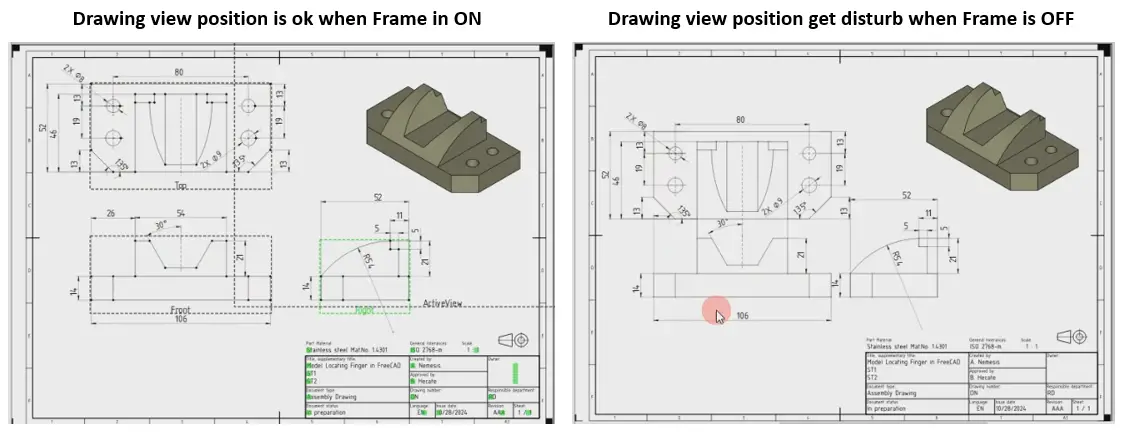
One the most common problem that FreeCAD beginner user unable to understand that when they off the view frame drawing view position get disturb. As you can see in below image. In this article we will talk about this issue and how to lock the drawing view position.
Related Posts-:
- Measure Area, Volume & Center of Mass with Python Script
- Import Existing FreeCAD Setting on Fresh FreeCAD Installation
- FreeCAD with Python Scripting. Make Tools and Workflows
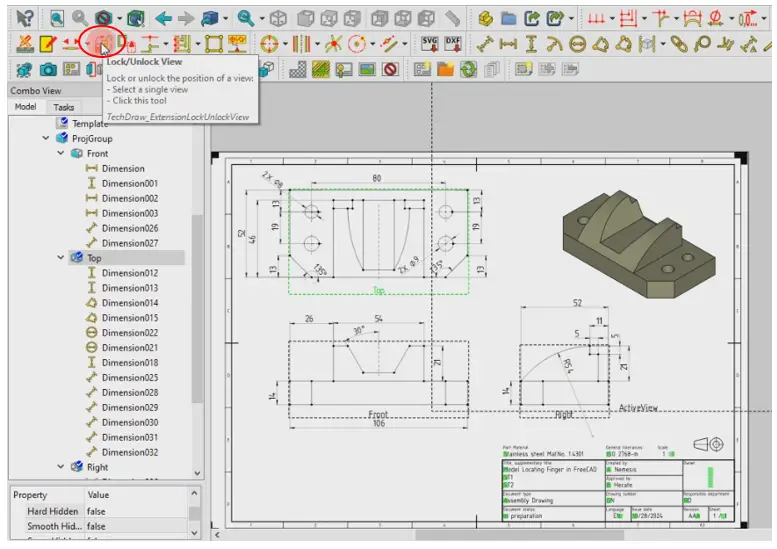
Now to fix the drawing view position select the frame and click on lock view option as shown in below image.
once the view is locked a lock symbol will be visible at the corner of the view. As shown in below image
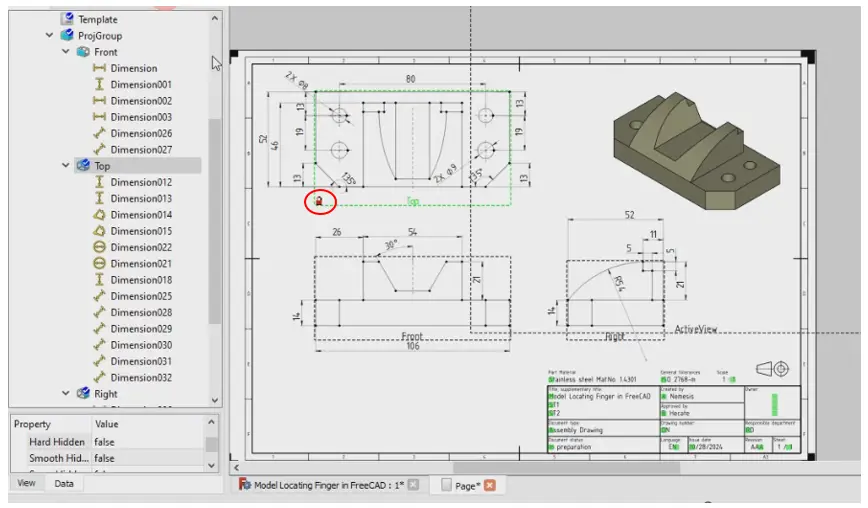
Repeat the same procedure to all view to lock it and to move the view select the frame and click on same icon to unlock it.
Related Posts-:
- Easily Rotate Sketch in FreeCAD
- Easily Slice Part with Plane in FreeCAD
- Free Online Tool to View CAD Files
“Thank you for reading! If you found this article insightful and valuable, consider sharing it with your friends and followers on social media. Your share can help others discover this content too. Let’s spread knowledge together. Your support is greatly appreciated!”
Watch Video Version of this Tuorial-: