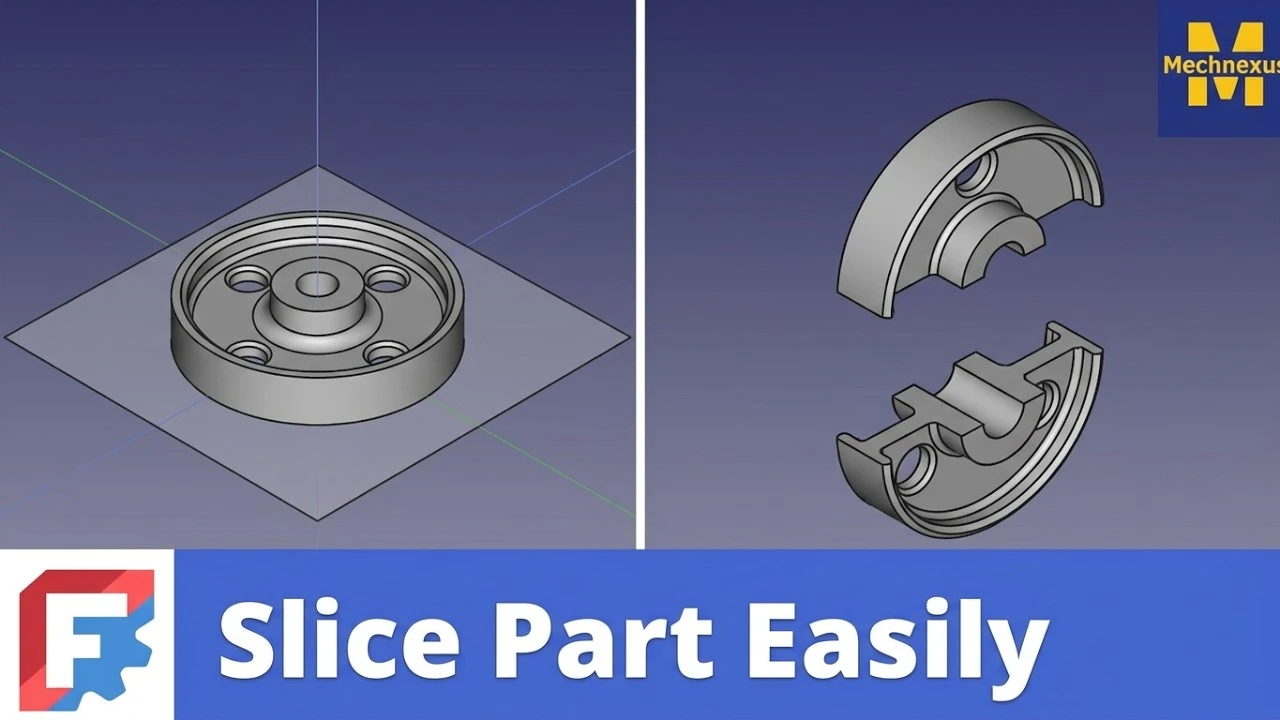
I have used many CAD tools in my life like SolidWorks, Autodesk Inventor etc. where taking section in the part is very easy especially in SolidWorks and you can also adjust the distance as per you requirement but slice tool in FreeCAD is very awesome where you can not only take section but you can convert them in two separate bodies and move it as well.
🔪 FreeCAD’s Distinctive Approach-:
Main main thing that makes FreeCAD different is it’s FreeCAD’s open-source, parametric approach combined with a unique set of options that give you fine-grained control over the result, particularly when dealing with different geometry types. FreeCAD’s slicing tools, primarily found in the Part Workbench, are built on a parametric foundation that follows parent and child relationship which mean when parent changes child will update automatically. This parametric approach means the slice remains editable; you can change the cutting plane or object later and the result updates automatically.
A key distinction is the choice between two commands that behave differently when the number of resulting pieces changes:
-
Slice to Compound: This is the “safe” parametric option. If your cutting tool moves such that the number of pieces changes (e.g., from 2 to 3), this feature updates smoothly without breaking.
-
Slice Apart: This is the “quick” option. It immediately separates the pieces into distinct objects. However, it is not robust; if the number of pieces changes later, the operation may fail to update correctly.
Additionally, FreeCAD’s slicer offers three distinct modes (“Standard”, “Split”, and “CompSolid”) that control how it handles complex shapes like wires, shells, and composite solids, giving you control over the topology of the output.
Also Read-:
- How to Clone and Rotate Body in FreeCAD
- Free Online Tool to View CAD Files
- FreeCAD as An Open-Source Parametric 3D Modeling Software
Idea of slicing part is with respect to plane which we can control in all 3 direction Z,Y and Z and slice the part as per our requirement. the best thing is sliced part is two separate bodies which you can export as STEP or STL file for 3D printing. If you want you existing part then delete the sliced feature from bowser it is very easy to slice the part in FreeCAD and restore it.
Slice Part in FreeCAD is very awesome tool because it helps to create two solid with the help of intersection. As shown in below image where cube got intersect with plane and two separate solid got created. these two solid can be exported separately as STL for 3D printing.
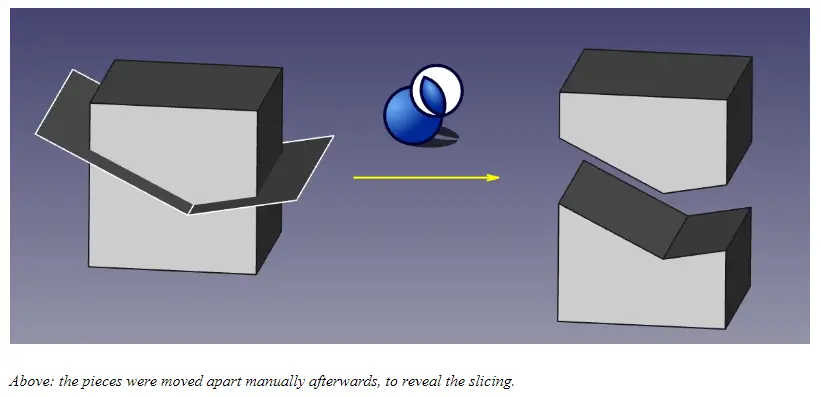
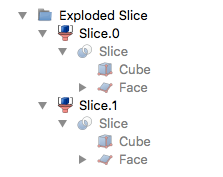
Sliced shape area is same as original shape and fully parametric if you want your original body then delete the sliced feature in the browser tree. As Shown i Above image he slice is created and for each piece of it there is a Part CompoundFilter created, thus the same slice occurs multiple times below each CompoundFilter. All these CompoundFilters are united in a Compound. In FreeCAD feature tree you will see something like below image
The above tool can also be used with macros and from python Console as well if you are good in python scripting you can give it a try. Sliced A Part feature first time introduced in FreeCAD version 0.18 .
Also Read-:
- Mastering FreeCAD: Insider Secrets from an Industry Expert
- Master FreeCAD: Top Free Learning Resources to Enhance Your Skills
🆚 How It Stacks Up Against Other Tools-:
-
Fusion 360: The Split Body tool is designed for a direct, “history-based” modeling environment. While it has a parametric timeline, its focus is on a streamlined, immediate workflow for solids and surfaces. For meshes, it uses a separate Plane Cut tool with specific options for filling the cut (No Fill, Uniform, Minimal).
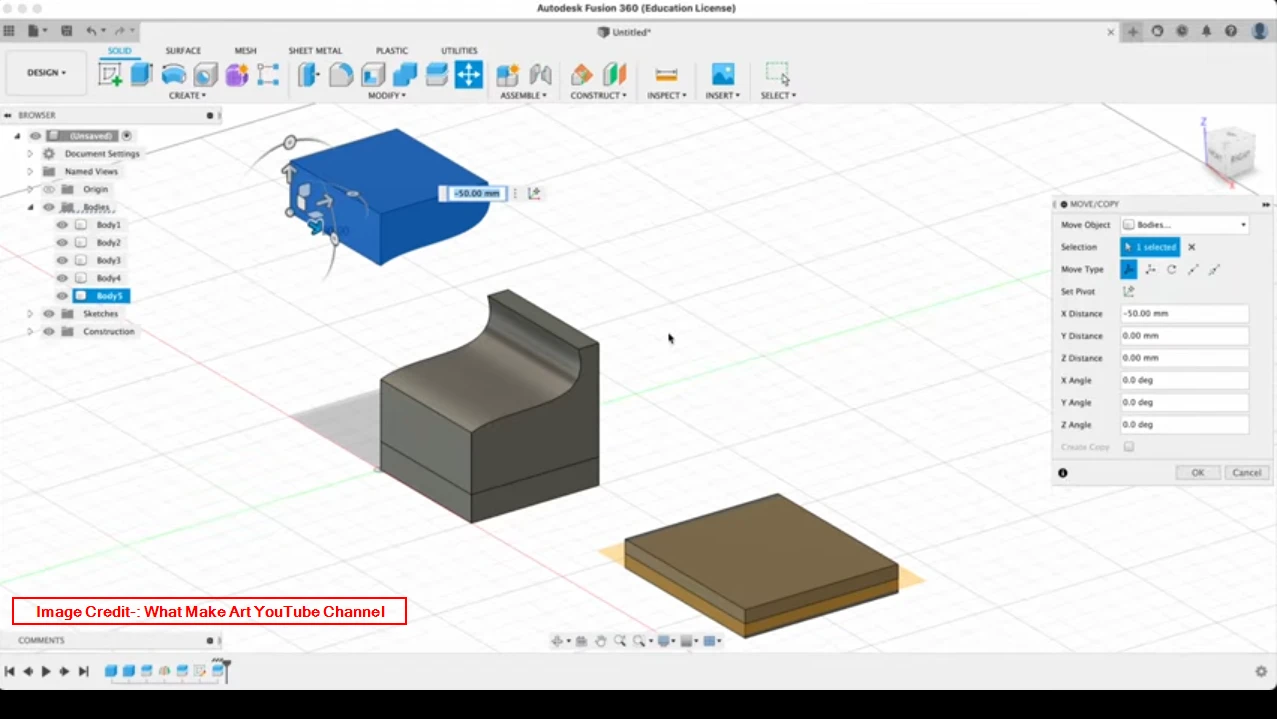
FreeCAD, by contrast, uses the same core slicing tool for different geometry types but exposes more abstract topological choices (the modes).
-
SolidWorks: Its Split command is very powerful for manufacturing workflows. Its standout feature is the ability to automatically save resulting bodies as external part files and even generate an assembly from a single split operation. This is a major focus for assembly design.
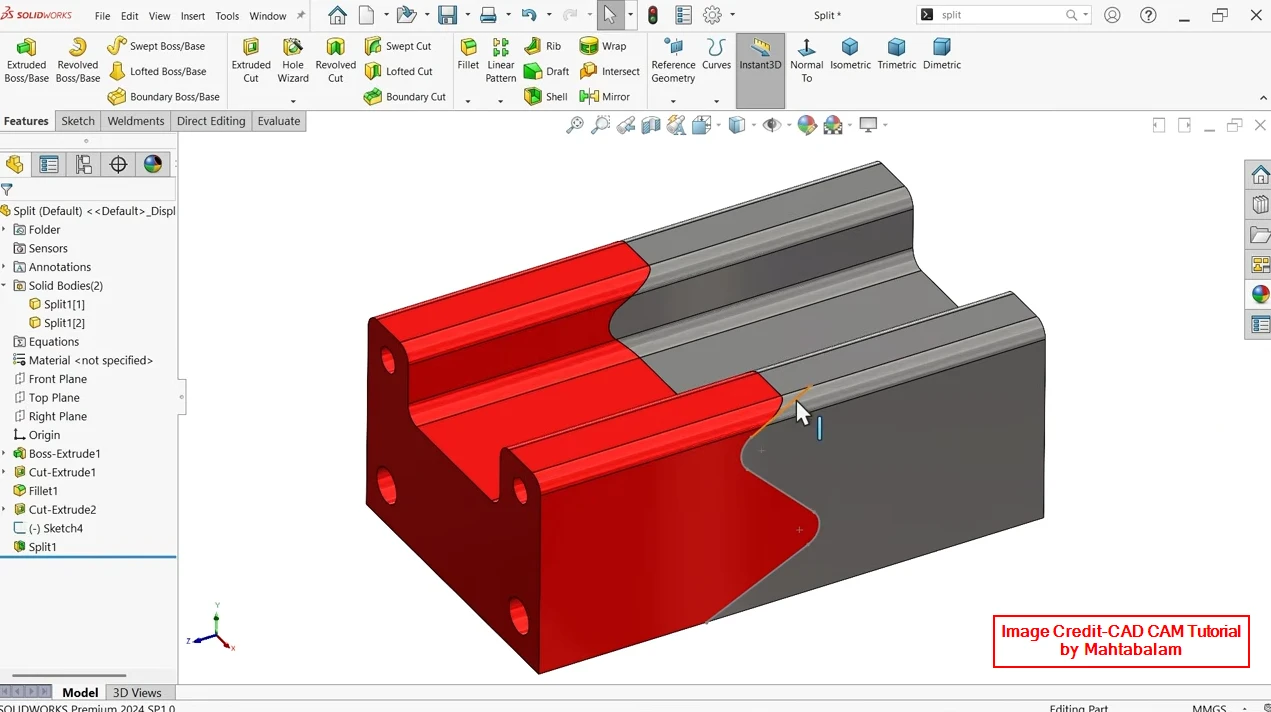
FreeCAD’s slicing is more oriented towards manipulating geometry within a single document, though you can export the resulting bodies.
-
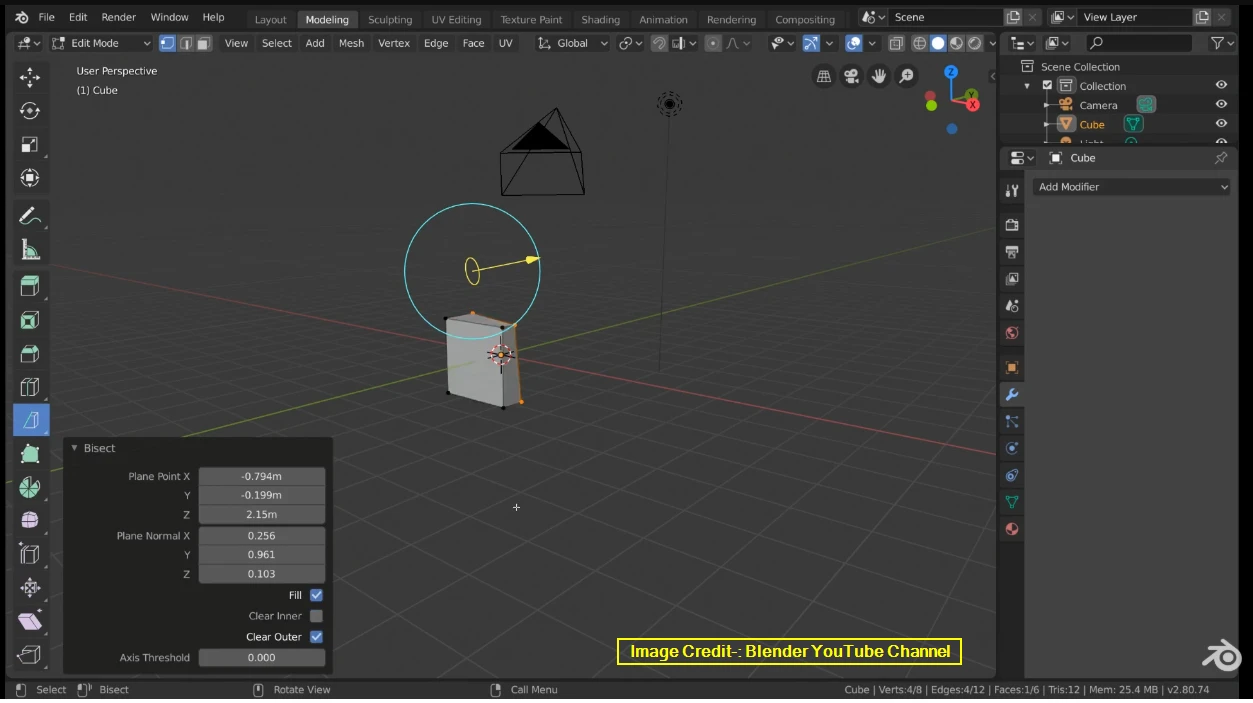
Blender: The Knife tool is an interactive, mesh-editing tool. You literally “draw” the cut line on the geometry. This is fundamentally different from FreeCAD’s approach, which is a precise, non-interactive boolean operation based on a mathematical plane or shape. Blender is for artistic modeling; FreeCAD’s method is for engineering precision.
In short, FreeCAD’s strength is its transparent, parametric logic and the topological control it offers through its “Slice to Compound” vs. “Slice Apart” distinction and its operating modes. It prioritizes an open, customizable framework over the streamlined, specific workflows (like SolidWorks’ auto-assembly generation) of its commercial counterparts.
💡 Key Considerations-:
-
Plane Must Separate: The cutting plane must completely intersect the object. For example, a wire (1D line) cannot slice a solid cube, but a planar face can.
-
Parametric vs. Non-Parametric: “Slice to compound” is fully parametric, meaning if you move the cutting plane, the slice updates. “Slice apart” does not update the number of pieces if the plane’s position changes the count.
-
For Meshes: If your object is a Mesh (not a solid), you should use the Mesh Workbench. Use Meshes → Cutting → Trim by plane or Create section from mesh and plane.
“Thank you for reading! If you found this article insightful and valuable, consider sharing it with your friends and followers on social media. Your share can help others discover this content too. Let’s spread knowledge together. Your support is greatly appreciated!”
Watch Video Version of this Tutorial-: