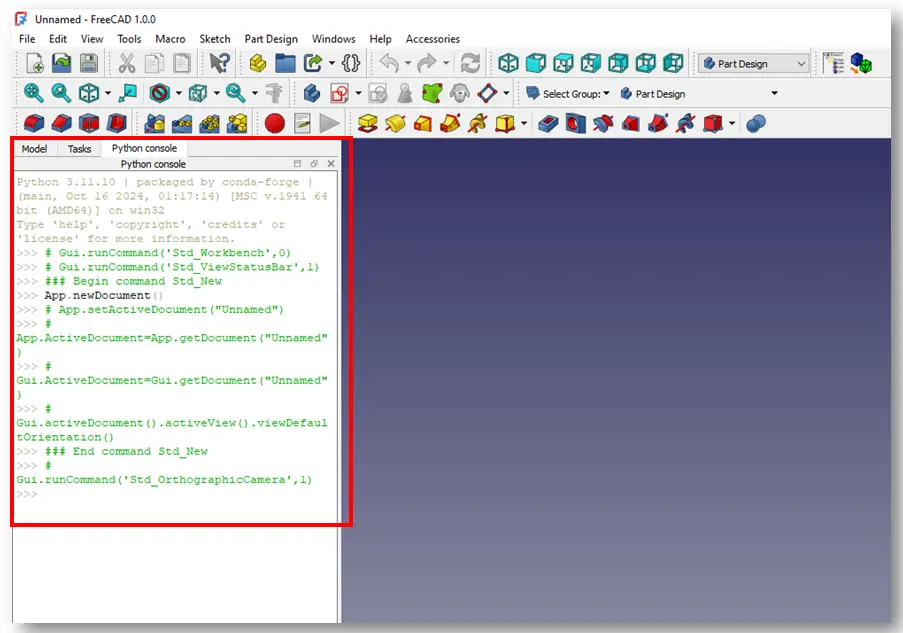
FreeCAD Python scripting is a powerful tool that allows users to automate tasks, create custom tools, and extend the functionality of FreeCAD and best part Python Console is inbuild in FreeCAD UI. With FreeCAD extensive API documentation and accessible interface, users can easily write scripts to perform complex operations within the Python Console is which is inbuild in FreeCAD UI.

To take advantage of scripting capabilities of FreeCAD, professionals can streamline their workflow, improve efficiency, and customize their design processes to suit their specific needs. From creating parametric designs to automating repetitive tasks, Python scripting in FreeCAD offers a wide range of possibilities for engineers, architects, designers, and other professionals working in the field of 3D modeling and CAD.
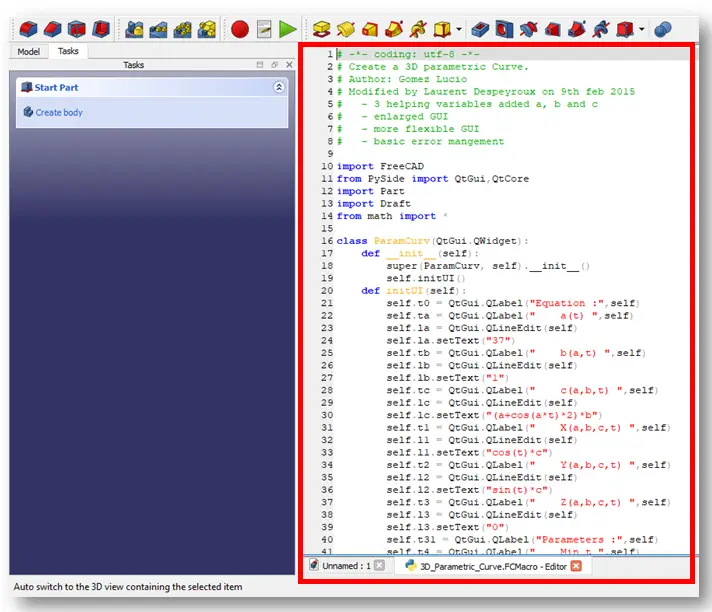
It may take time to master the basics of FreeCAD Python scripting but once learned users can unlock new potentials for innovation and creativity in their projects. FreeCAD provides a built-in Python console and macro editor for scripting. You can access these tools from the View > Panels menu.
- Python Console: Allows you to execute Python commands interactively.
- Macro Editor: Lets you write, save, and execute Python scripts.
“Thank you for reading! If you found this article insightful and valuable, consider sharing it with your friends and followers on social media. Your share can help others discover this content too. Let’s spread knowledge together. Your support is greatly appreciated!”
 My FreeCAD Projects,Model & Drawing now on Gumroad