
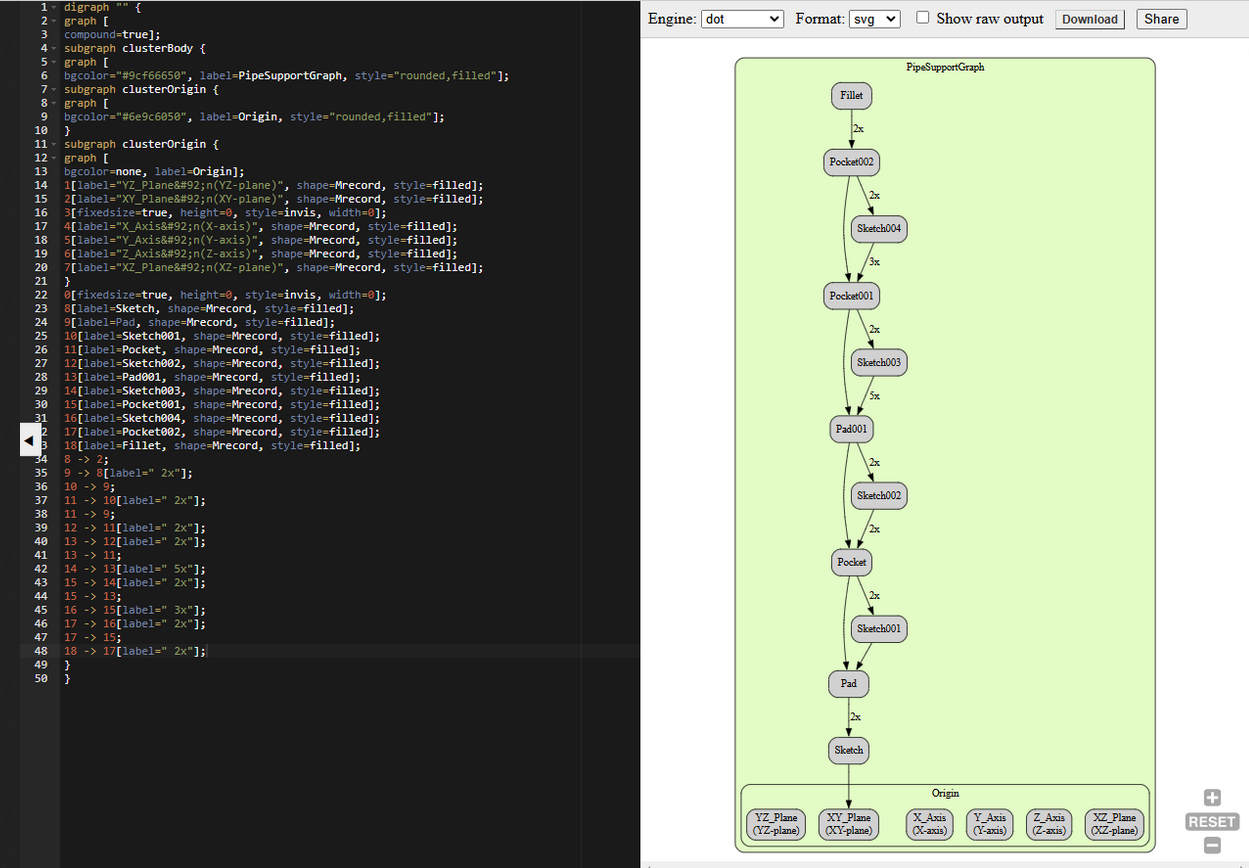
Recently, I have explored a Dependency Graph in FreeCAD that displays the dependencies between objects in the active document in a graph. As opposed to the Tree View, objects are listed in reverse chronological order, with the first created object at the bottom. Dependency Graph in FreeCAD helps to create robust model because it helps to find glitch in the model.
It can be useful in analyzing a FreeCAD document and locating forks in a tree. The dependency graph is purely a visualization tool, therefore it cannot be edited it shows the order how part is modeled. As opposed to the Tree View, objects are listed in reverse chronological order, with the first created object at the bottom. It automatically updates if changes are made to the model.
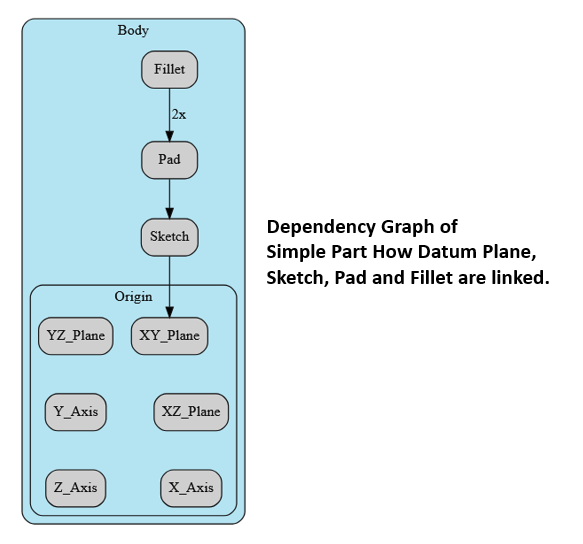
If we see above image from bottom first plane is selected then sketch then pad and then fillet. I have tested it from my end Now we will learn to Create Dependency Graph of Pipe Support model as shown in below image.
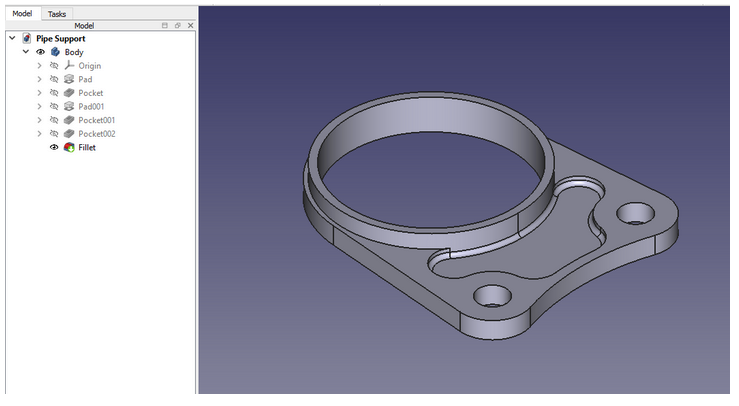
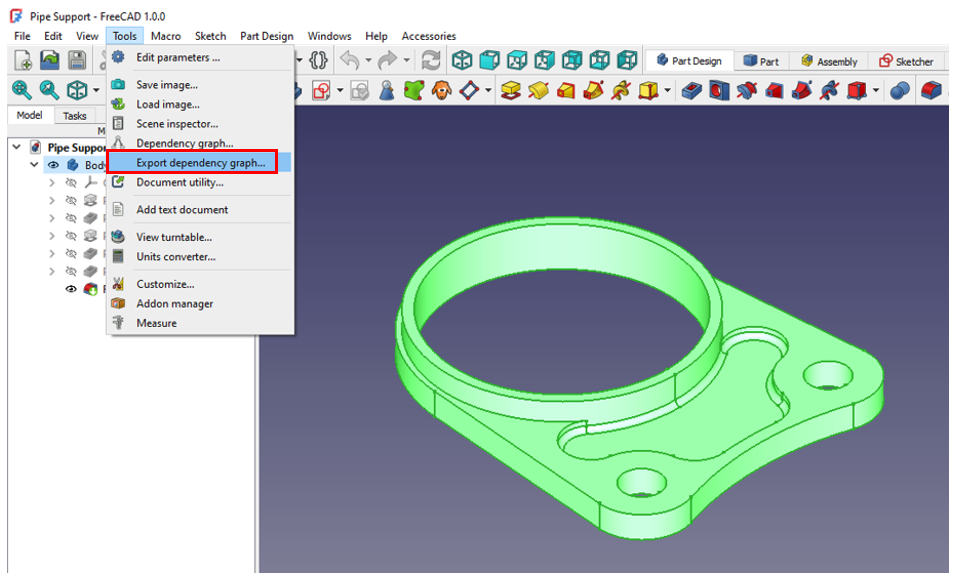
Now go to tool and click on Export Dependency Graph As Shown in below image.
Advantages of Dependency Graph in FreeCAD Modeling-:
1. Visualization of Relationships-:
The dependency graph visually represents the relationships between different objects, features, and operations in your design. This makes it easier to understand how changes to one part of the model might affect other parts.
2. Parametric Modeling-:
FreeCAD is a parametric CAD tool, meaning that objects are defined by parameters and their relationships. The dependency graph helps you manage these relationships, ensuring that changes propagate correctly through the model.
3. Dependencies Detection-:
By examining the dependency graph, you can identify circular dependencies, missing references, or other issues that might cause errors in your model. This helps in troubleshooting and maintaining a robust design.
4. Modular Design-:
The dependency graph allows you to create modular designs by breaking down complex models into smaller, manageable components. Each component can be developed and tested independently, and the graph ensures they integrate correctly.
5. Efficient Updates-:
When you modify a parameter or feature, the dependency graph ensures that only the necessary parts of the model are recalculated and updated. This improves performance, especially in large and complex models.
6. Design Intent Preservation-:
The dependency graph helps preserve the design intent by maintaining the logical relationships between features. This ensures that the model behaves as expected when parameters are changed.
7. Collaboration and Documentation-:
For collaborative projects, the dependency graph serves as a form of documentation, making it easier for team members to understand the structure and logic of the model.
8. History Tracking-:
The dependency graph also acts as a history tracker, showing the sequence of operations and modifications. This is useful for reverting changes or understanding the evolution of the design.
9.Customization and Scripting-:
Advanced users can leverage the dependency graph for customization and scripting. By understanding the dependencies, you can write scripts that automate complex modeling tasks or customize the behavior of the model.
10. Learning and Debugging-:
For new users, the dependency graph is an excellent learning tool. It helps in understanding how different features and operations interact within FreeCAD. For experienced users, it aids in debugging complex models.
What is required-:
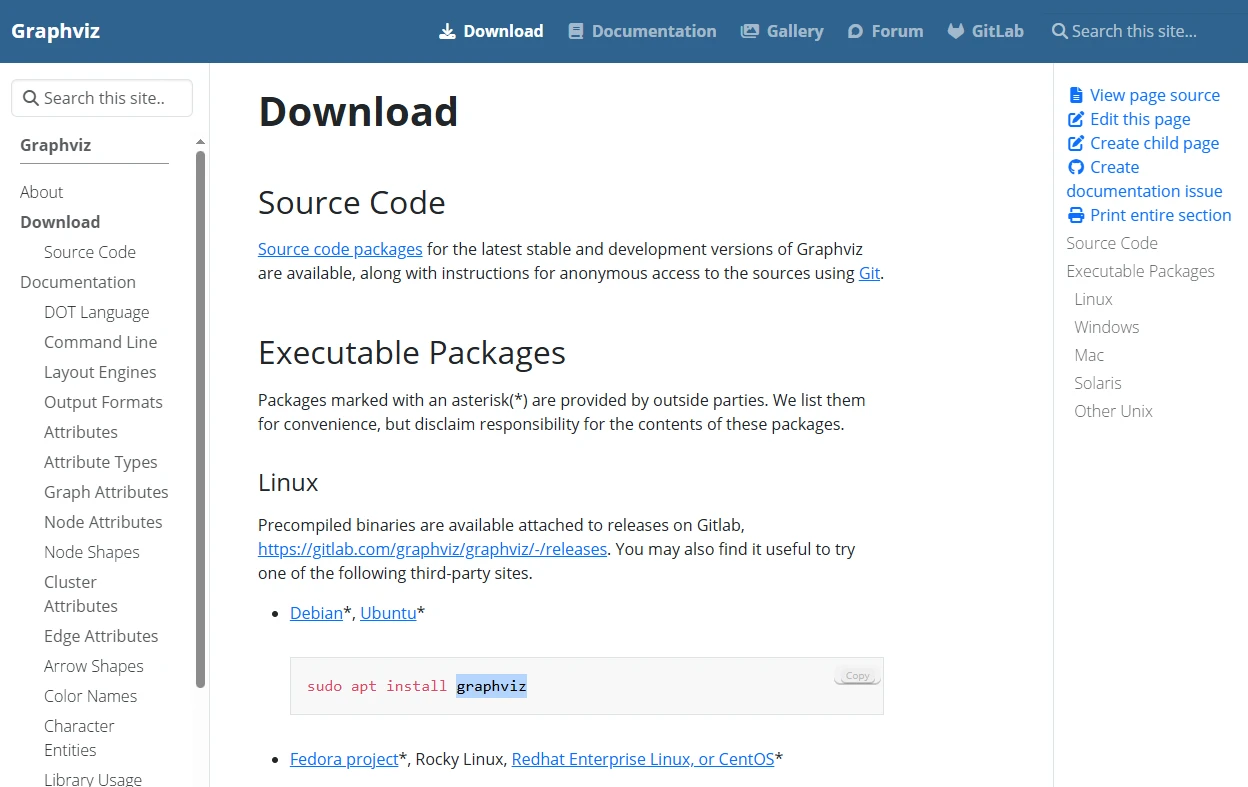
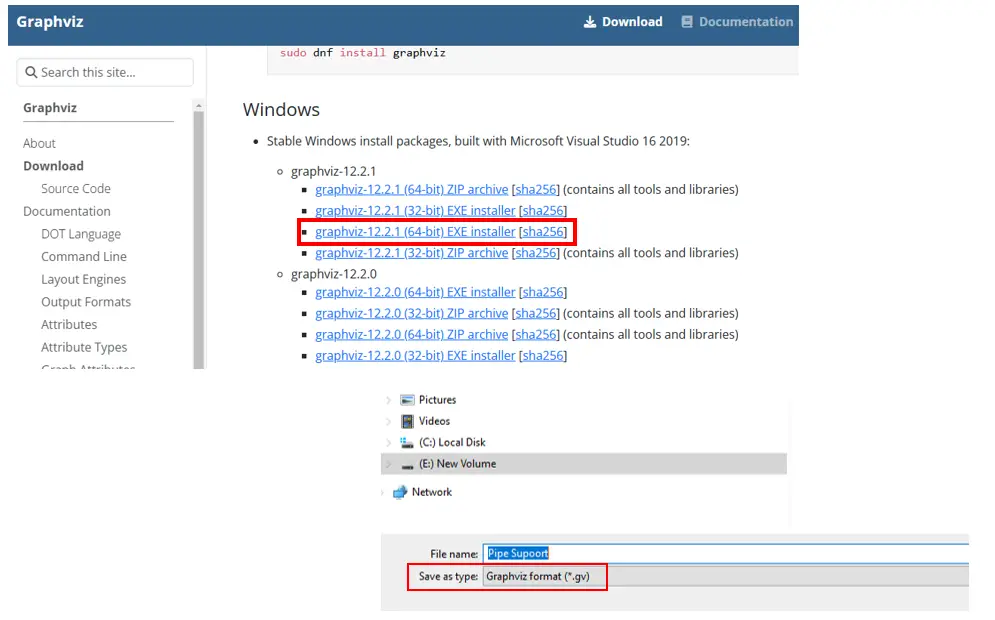
Graphviz (short for Graph Visualization Software) is an open-source tool for drawing graphs and networks automatically from a text-based description. Instead of manually placing nodes and edges, you describe the structure (what connects to what), and Graphviz figures out the layout for you.
https://graphviz.gitlab.io/download/
Conclusion-: The dependency graph in FreeCAD is a powerful feature that enhances the usability, efficiency, and robustness of your designs. It is particularly beneficial in parametric modeling, where understanding and managing relationships between different parts of the model is crucial.
“Thank you for reading! If you found this article insightful and valuable, consider sharing it with your friends and followers on social media. Your share can help others discover this content too. Let’s spread knowledge together. Your support is greatly appreciated!”
 My FreeCAD Projects, Models & Drawings now on Payhip