Hello friends, welcome to FreeCAD tutorial. In our previous tutorial, we learned How to Clone and rotate body in FreeCAD. In this tutorial we will learn how to use the array tool in a Draft Workbench and how we can pattern the body in FreeCAD. In FreeCAD’s Draft Workbench, the Array tool is a family of commands used to create multiple copies of a selected object. These copies are arranged in a structured pattern, such as in a grid, around a circle, or along a path.
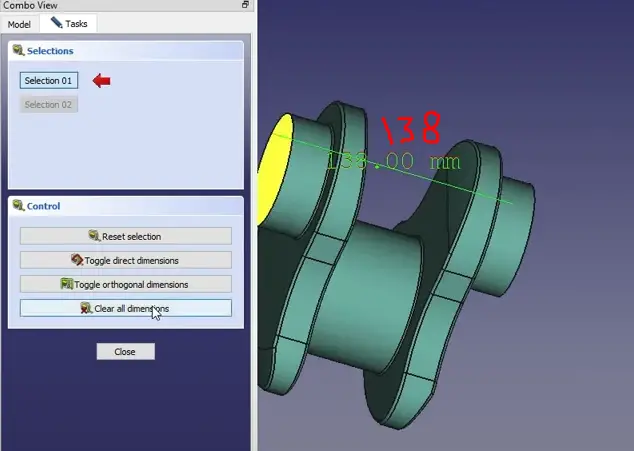
First, we will measure the dimension for our pattern, which is 138 mm, as shown in the below image.
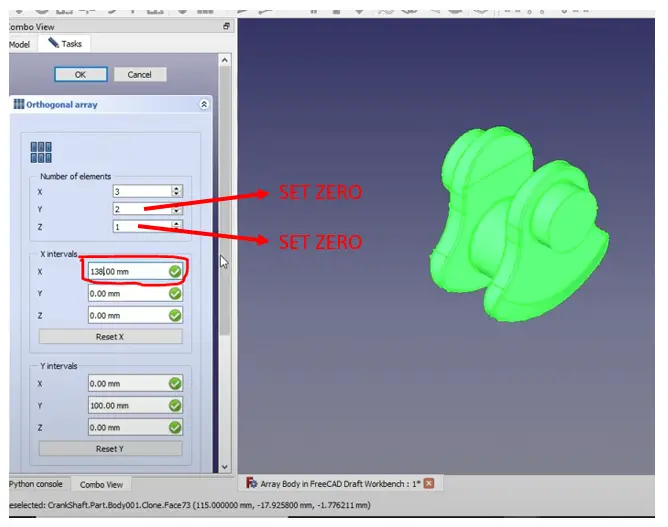
I want to make my body quantity 3 in a linear direction. I will switch to the draft workbench, and I will select my body, and I will click on edit tools so here on the Array tools as shown in the below image.
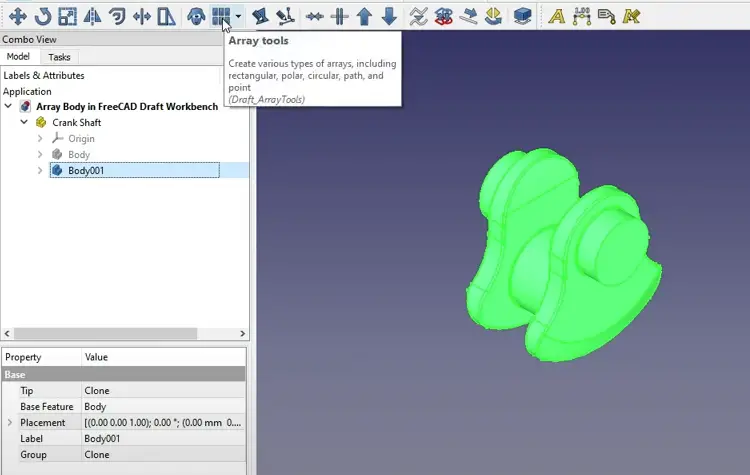
First things first, we see here a number of elements, so if you see our UCS, I wanted to make it in X directions, so in the X direction I will enter 3, in the Y direction set 0, and in the Z direction set 0. With respect to our UCS, I will give a distance of 138 in X direction, which we have measured earlier.
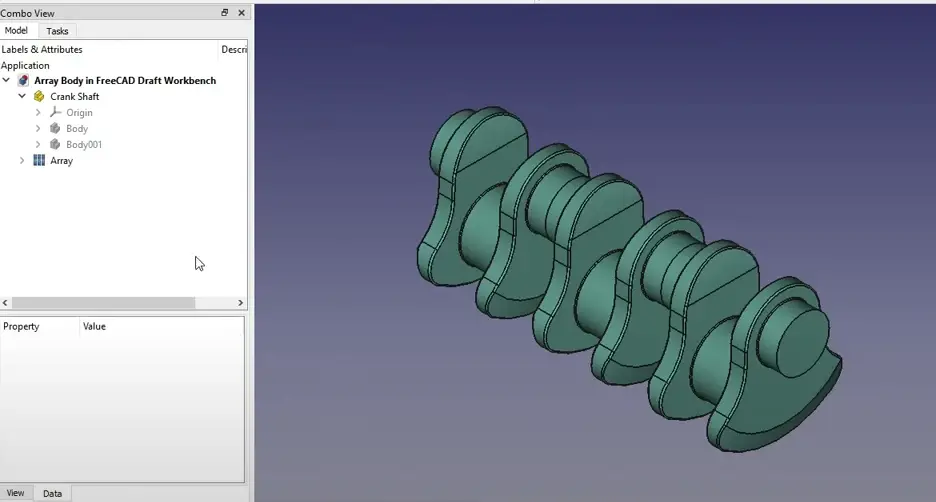
Here our Tutorial get complete, We have learned how to array body in FreeCAD with the help of draft workbench.
“Thank you for reading! If you found this article insightful and valuable, consider sharing it with your friends and followers on social media. Your share can help others discover this content too. Let’s spread knowledge together. Your support is greatly appreciated!”
Watch the video version of this Tutorial-:
 My FreeCAD Projects,Model & Drawing now on Gumroad